Wake up to your inboxalready read.
A short briefing every morning, with what needs you at the top and everything else out of the way.
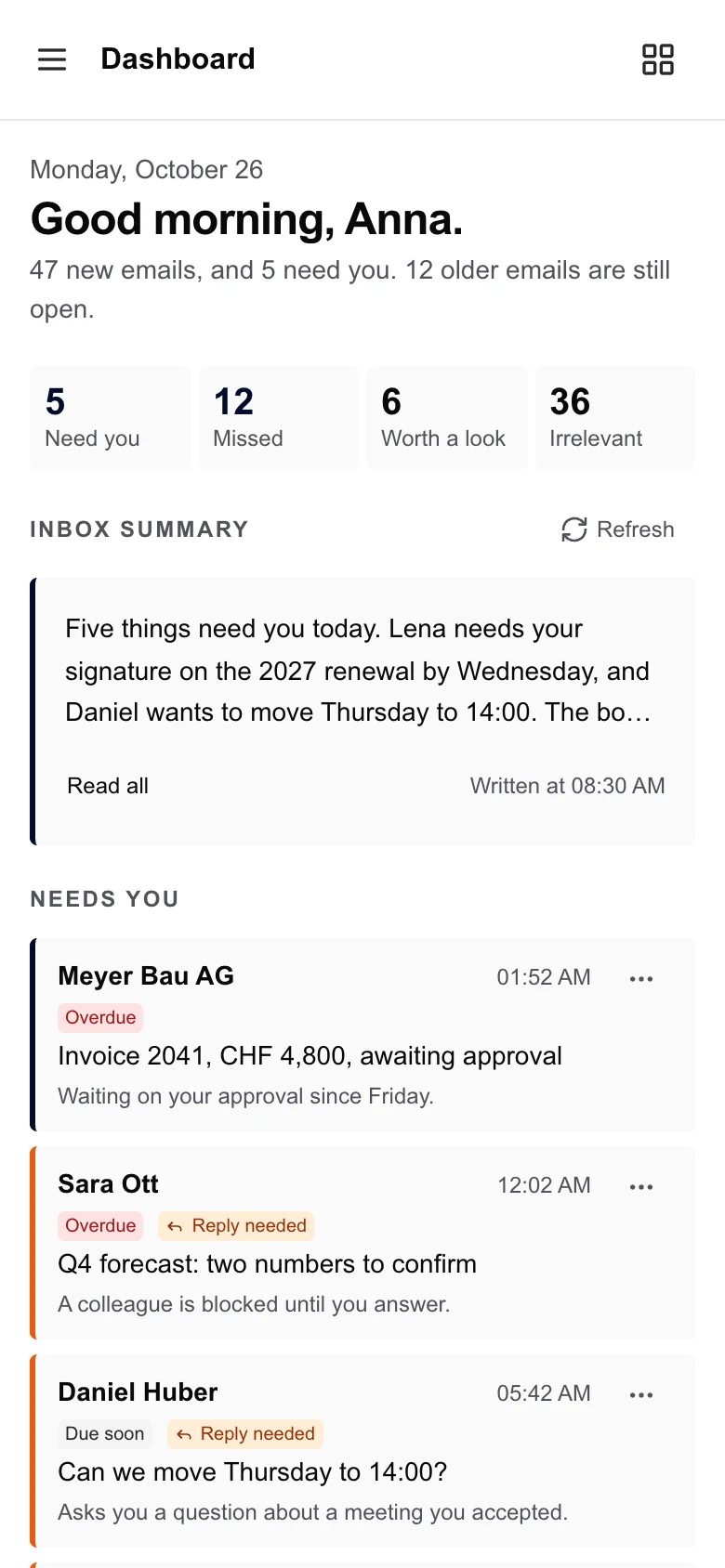
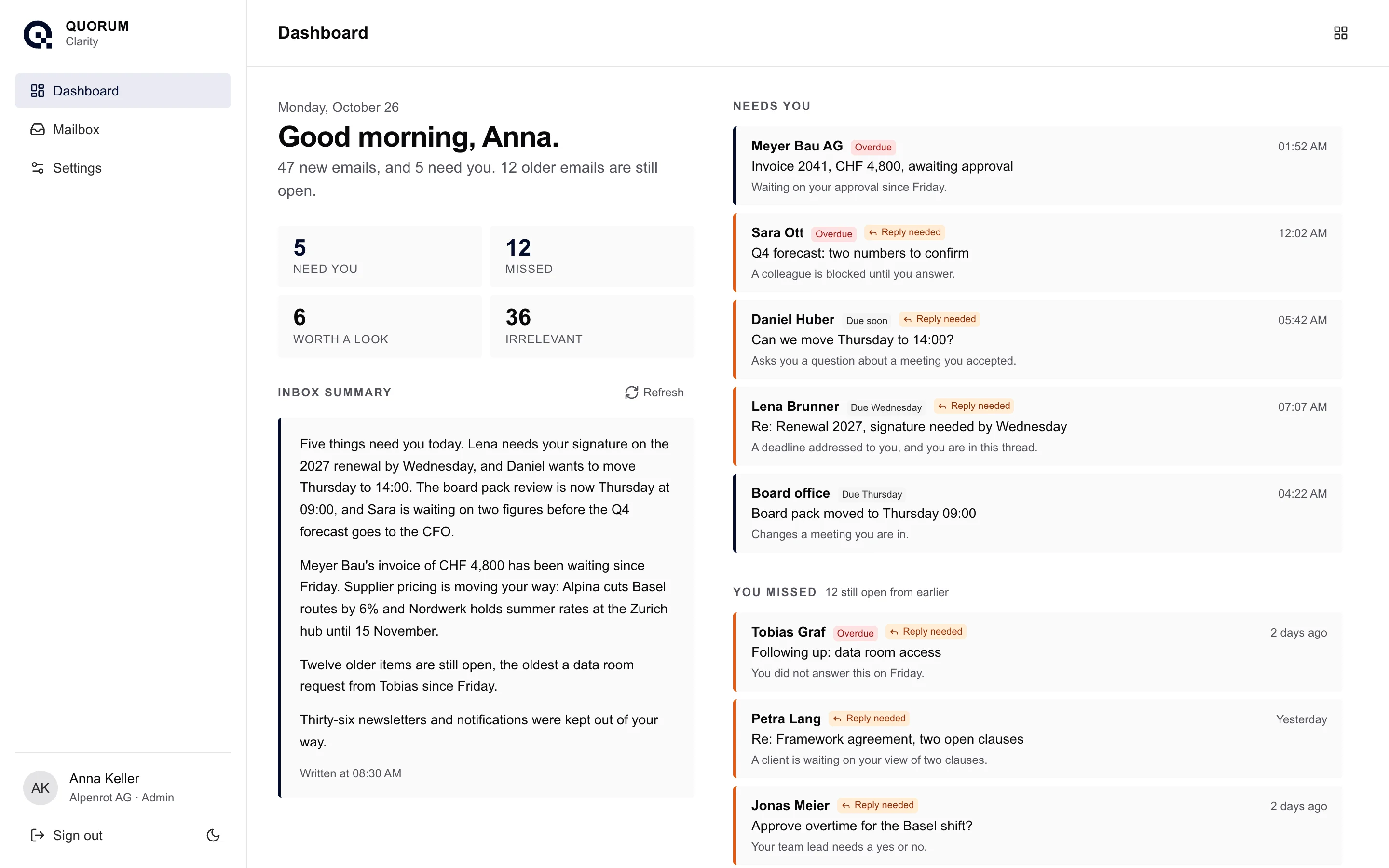
Your whole inbox in one paragraph.
Ready before you sit down. Who needs what from you, what moved overnight, and what was kept out of your way.
Inbox summary
Five things need you today. Lena needs your signature on the 2027 renewal by Wednesday, and Daniel wants to move Thursday to 14:00. The board pack review is now Thursday at 09:00, and Sara is waiting on two figures before the Q4 forecast goes to the CFO.
Meyer Bau’s invoice of CHF 4,800 has been waiting since Friday. Supplier pricing is moving your way: Alpina cuts Basel routes by 6% and Nordwerk holds summer rates at the Zurich hub until 15 November.
Twelve older items are still open, the oldest a data room request from Tobias since Friday.
Thirty-six newsletters and notifications were kept out of your way.
Written at 07:30
Every morning, and all day.
Your briefing
Catch up on everything that needs you in seconds.
Sorted as it lands
New mail is ranked within minutes.
Stay organised
Clarity automatically organises your dashboard so you can stay focused.
Email, ranked.
The most urgent email sits at the top, and every message comes with a one-line reason, so you always know why it is there.
Ranked by what is due
Overdue first, then what is due today and soon. Deadlines are read from the mail itself.
Reply needed
Threads where someone is waiting on your answer are marked, so they never sink.
Worth a look
Mail that matches what you care about, grouped by topic.
Kept out of your way
Newsletters and notifications, there when you want them.
Nothing slips
Older mail you have not opened, or still owe a reply, stays in You missed until it is handled. Reply in Outlook and it clears itself.
Needs you
Meyer Bau AG
Fri
Invoice 2041, CHF 4,800, awaiting approval
Waiting on your approval since Friday.
Fri
Sara Ott
06:12
Q4 forecast: two numbers to confirm
A colleague is blocked until you answer.
06:12
Daniel Huber
07:05
Can we move Thursday to 14:00?
Asks you a question about a meeting you accepted.
07:05
Lena Brunner
06:48
Re: Renewal 2027, signature needed by Wednesday
A deadline addressed to you, and you are in this thread.
06:48
Board office
05:31
Board pack moved to Thursday 09:00
Changes a meeting you are in.
05:31
Tell us what matters, in plain words.
Keep the senders you always want to hear from. Silence the ones you never do. Every correction makes the next briefing better.
What matters to you
Every email is judged against this. Saving re-screens your recent mail.
Keep
Short phrases for what you want to see
supplier pricing
contract deadlines
board
Never show
What the screen should drop without asking
webinars
newsletters
tool notifications
In your own words
Morning briefing schedule
Written before you sit down, so the morning starts with the answer.
Ready at
On
Quiet hours
Screening pauses overnight and catches up before your briefing.
to
Sender rules
Created from your corrections on the Dashboard. A rule always wins over the screen's own judgement.
@studio-kern.example
lena.brunner@alpenrot.example
notifications@linkedin.example
Read only. Always.
Clarity can never move, send or delete a message.
Outlook is connected
Clarity is reading anna.keller@alpenrot.example. Only your own mailbox is ever read, and disconnecting takes effect immediately.
Read-only access
Clarity asks Microsoft for permission to read mail and nothing else. Outlook stays exactly as it is.
Separate consent
Mail is connected on its own, and you can switch it off without touching anything else.
Disconnect anytime
Disconnecting deletes the mail Clarity copied. Ask us and we remove your briefings and preferences too.
Encrypted at rest
Message bodies and briefings are stored encrypted.
Try it free for 3 months.
No credit card, and nothing to cancel when the trial ends. Book a short call on Teams, or come by for a coffee, and we will set Clarity up on your Microsoft 365 mailbox with you. If your organisation requires approval for new apps, please let an admin know.