AI Writers for Meeting Prep: What General Tools Get Wrong
You spend hours preparing for important meetings, yet somehow still walk in feeling underprepared. Sound familiar? The promise of using an ai writer to streamline that process is genuinely compelling, and millions of professionals have embraced general-purpose AI tools to draft agendas, summarize documents, and generate talking points. But here is the uncomfortable truth: most of these tools were built for broad content creation, not the nuanced, context-heavy demands of professional meeting preparation.
General AI writing tools are impressive in many ways, but they consistently fall short when it comes to understanding organizational context, interpreting past meeting dynamics, and producing outputs that actually move conversations forward. The gap between what they promise and what they deliver becomes painfully obvious the moment you walk into a boardroom.
In this post, we will break down exactly where general AI writers miss the mark for meeting prep, what specialized alternatives do differently, and how to evaluate which approach fits your workflow. If you rely on AI to support high-stakes professional interactions, this comparison will change how you think about your tools.
What Actually Matters in an AI Writer for Meetings
Most conversations about AI writers and meetings begin and end in the same place: post-meeting summarization. Transcription, action-item extraction, recap emails sent to the team an hour after the call concludes. These are genuinely useful capabilities, and the numbers reflect their growing adoption — 75% of professionals now use an AI note-taker in work meetings, and 62% report saving four or more hours per week. But summarizing what just happened is a fundamentally different problem than preparing someone to make good decisions before they walk into the room. Pre-meeting preparation, specifically document synthesis and role-specific briefing generation, remains the genuine white space in the AI writer category. Evaluating tools without distinguishing between these two capabilities is like evaluating a navigation app on how well it describes where you've already been.
The personalization question is where generic AI writers break down most visibly. Consider a quarterly business review attended by a CFO, an engineering lead, and a head of sales. All three receive the same document set: financial reports, a product roadmap, customer pipeline data. A generic summary surfaces the same information to each person. The CFO needs budget exposure, margin variance, and risk concentration surfaced immediately. The engineering lead needs technical dependencies, resource constraints, and delivery blockers. The head of sales needs pipeline health, deal velocity, and revenue forecasts in context. A single undifferentiated output serves none of these attendees particularly well, and in a decision-critical meeting, "not particularly well" translates directly into slower decisions and longer discussions that burn the time the summary was supposed to save.
Accuracy standards shift significantly when AI output moves from post-meeting notes to pre-meeting briefings that drive decisions. Current transcription models achieve 95% or better accuracy on clean audio, which is impressive. But transcription accuracy and synthesis accuracy are not the same measurement. A model that transcribes a document correctly and then hallucinates a revenue figure or misattributes a conclusion when generating a board briefing creates a categorically different failure. That error is not a minor inconvenience to be corrected in the next version; it is a trust-destroying event that makes every future output from that system suspect. In decision-critical contexts, accuracy in AI meeting tools must be evaluated against synthesized output quality, not just transcription performance.
Output format is an underexamined evaluation criterion that becomes obvious the moment you map it against how professionals actually move through their days. Knowledge workers average 23 hours per month in meetings, and back-to-back scheduling is the norm rather than the exception. Text-based summaries require active reading time, a focused block of uninterrupted attention that the transition window between calls rarely provides. Audio formats allow passive consumption: a five-minute briefing absorbed during a commute, a walk between buildings, or the minutes before a call begins. The format of the output is not a cosmetic preference; it determines whether the briefing gets consumed at all.
These four dynamics, pre-meeting utility, personalization by attendee role, accuracy in synthesized outputs, and output format, combine with a fifth criterion, integration with existing document workflows, to form the evaluation framework this comparison will use. Tools should be assessed on how well they ingest the documents a team already produces, not on how well they perform in controlled demo conditions. Together, these five criteria, personalization, accuracy, pre-meeting utility, output format, and document workflow integration, separate AI writers that genuinely improve meeting outcomes from those that simply add another summary to an already crowded inbox.
ChatGPT and OpenAI: Powerful but Generic
ChatGPT earns its dominant position for good reasons. As OpenAI's own research guidance confirms, the tool excels at turning vague questions into structured research plans, sifting through source material at speed, and producing consistent deliverables such as briefs, memos, and annotated summaries. For individuals who need to draft agenda emails, condense long documents, or generate first-draft meeting outlines, the breadth of task coverage is genuinely impressive. Adoption data reinforces this: Q1 2026 usage signals from OpenAI show ChatGPT penetrating mainstream workplace demographics, with users over 35 gaining share of total messages and work-related usage on personal accounts becoming notably more consistent. The platform is not a niche tool anymore; it is the default writing assistant for a growing slice of the professional workforce.
The structural problem, however, sits at the core of how the model actually works. GPT generates responses through pattern matching across vast training data, not through any understanding of your organisation, your attendees, or the specific stakes of a given meeting. Output quality scales directly with prompt quality. OpenAI's own research workflow guidance instructs users to request a structured outline first, specify sub-questions and source strategies, and require citations for key claims. These are deliberate prompt-engineering steps. Most teams will not apply them consistently, and without that discipline, what they receive are generic, unformatted summaries that fail to distinguish between what a CFO needs to know before a budget review and what a product lead needs before a roadmap session.
Agentic workflows represent OpenAI's answer to this limitation, and the direction is genuinely promising. Moving beyond single-shot text generation toward multi-step, automated pipelines could theoretically handle document ingestion, stakeholder profiling, and structured briefing outputs without manual prompting each time. The reality for most teams, though, is that configuring these pipelines requires meaningful technical investment: custom integrations, output templates, trigger logic, and ongoing maintenance. That overhead sits well beyond what a typical operations or executive team will absorb as part of standard meeting preparation. The capability exists on paper; the deployment path is not frictionless.
The most serious concern for meeting contexts is hallucination risk. GPT models produce text that is contextually fluent and structurally convincing, which means fabricated figures, misattributed decisions, or invented regulatory references can be indistinguishable from accurate ones. For a team briefing executives ahead of a board presentation or acquisition discussion, a single confident but incorrect data point represents a credibility and liability problem that no productivity gain can offset. OpenAI's own guidance recommends requiring citations and requesting source quality checks precisely because unverified outputs carry this risk.
The verdict is clear. ChatGPT is a powerful tool for skilled individuals who need flexible, ad-hoc writing support across varied tasks. It rewards those who already know how to prompt precisely and verify outputs carefully. For teams that need consistent, personalised, source-traceable meeting briefings delivered reliably at scale, the default ChatGPT experience introduces too much variability and too much hallucination risk to serve as a dependable foundation.
Microsoft Copilot: The Default Choice That May Not Be the Right One
For most enterprise teams, the question of which AI writer to use for meetings has already been answered by default. Microsoft 365 Copilot is embedded directly into the productivity suite that the majority of large organizations already run on, meaning it arrives with zero procurement friction, no new vendor relationship, and no additional learning curve for employees already living in Teams, Outlook, and SharePoint. When a tool is simply there, already paid for within an existing license structure, organizational inertia does the rest. This makes Copilot the de facto AI writer for enterprise meeting workflows, not necessarily because it is the best fit, but because it is the path of least resistance.
What Copilot Actually Does Well
Within its native environment, Copilot delivers genuinely useful meeting intelligence. It can pull from Teams meeting transcripts, cross-reference related Outlook threads, and surface relevant SharePoint documents to produce structured summaries and action-item lists after a meeting has concluded. For teams that struggle with inconsistent note-taking or action items that fall through the cracks between a call ending and a follow-up email being sent, this is a real productivity gain. The integration is seamless precisely because it operates within the same data graph that already connects your calendar, your conversations, and your shared files.
The Post-Meeting Bias Problem
The critical limitation, however, is directional. Copilot's meeting intelligence is almost entirely retrospective. Its core workflow is: meeting happens, transcript is generated, Copilot processes it, recap is distributed. This architecture is optimized for documentation after the fact, not for preparation before attendees arrive. There is no native mechanism within Copilot to synthesize background materials, project briefs, or prior meeting history into a pre-read that helps participants walk into a room already oriented to the decision at hand. The tool solves for capturing what happened; it does not solve for ensuring participants were ready when it did.
The One-Size-Fits-All Summary Limitation
Compounding this is what might be called the single-output problem. When Copilot generates a meeting recap, it produces one summary distributed uniformly to all participants. A VP of Finance, a project manager, and a technical lead all receive the same document, structured around the same priorities, weighted toward the same level of detail. There is no mechanism for role-based personalization, no differentiation between what the decision-maker needs versus what the implementer needs, and no adjustment for each attendee's specific area of responsibility. For complex meetings where different stakeholders need fundamentally different information, a uniform summary creates the illusion of alignment without the substance of it.
Verdict: Copilot is a strong default for organizations already running on Microsoft 365 that need reliable post-meeting documentation and action-item capture. It earns its place in that narrow use case. But for teams focused on pre-meeting preparation, or for organizations that need attendees briefed according to their individual roles and decision responsibilities, Copilot's architecture is not built for that job.
Google Workspace AI and NotebookLM: Closest to the Meeting Prep Vision
Of all the general-purpose AI platforms reviewed in this comparison, Google's ecosystem comes closest to solving the meeting preparation problem. That proximity makes it both the most instructive case study and the clearest illustration of how much distance still remains between "nearly there" and purpose-built.
Google Workspace's "Help Me Write": Capable but Passive
Google Workspace AI tools are now embedded across Docs and Gmail, with Gemini-powered writing assistance included in every paid Business and Enterprise plan at no additional cost since January 2025. In Docs, Gemini can draft agenda items, rewrite dense source material into readable summaries, adjust tone for different audiences, and restructure existing content. In Gmail, the same AI drafts replies, summarizes long threads, and flags priority messages before you open them. These are genuinely useful capabilities for anyone preparing meeting materials.
The critical limitation is that every one of these features requires manual initiation. You must open the document, open the sidebar, and prompt the AI. Workspace has no awareness that a meeting is scheduled for Thursday, no knowledge of who will be attending it, and no mechanism to pull relevant documents from Drive without being asked. The AI waits for instructions rather than anticipating needs. For professionals managing multiple meetings per week across different stakeholders, that passive posture translates directly into time lost on repetitive setup work before any actual preparation begins.
NotebookLM: The Most Compelling General-Purpose Option
NotebookLM, now transitioning to Gemini Notebook as of mid-2026, is the standout tool in this entire comparison. Users upload source documents, PDFs, Google Docs, websites, and video transcripts, and the platform synthesizes them into a queryable knowledge base where every answer is grounded in the uploaded materials rather than the open internet. That source-grounding substantially reduces hallucination risk, which matters when the stakes involve a boardroom decision.
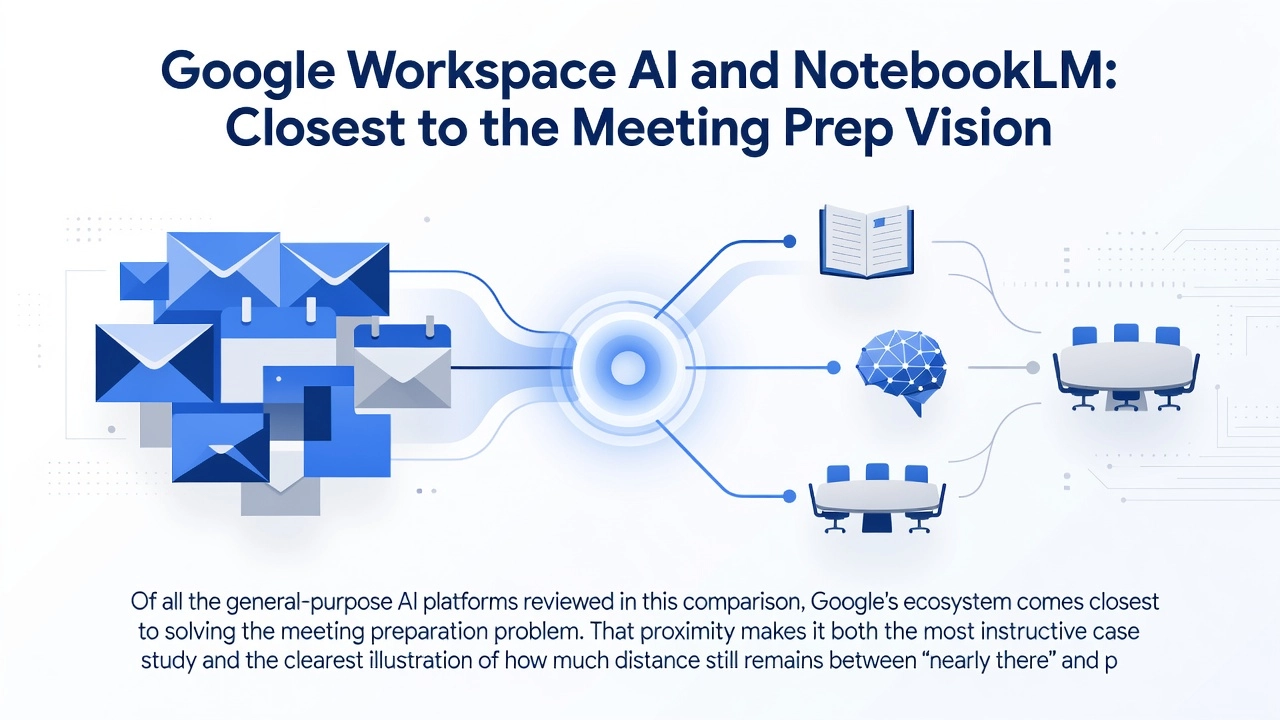
The Audio Overview feature is what makes NotebookLM genuinely relevant to meeting preparation. It generates podcast-style summaries of uploaded sources, producing a conversational two-host format that someone could realistically listen to during a commute before a critical meeting. According to Google I/O 2026 announcements, NotebookLM is receiving expanded Workspace integration and new enterprise features, signaling Google's intent to move this tool further into professional workflows. Organizations already using optimized Google AI workflows report 30 to 50 percent improvements in research speed and analysis quality, and the user base has grown to millions globally since its 2023 launch.
Where NotebookLM Falls Short at the Team Level
The structural limitations become visible the moment you try to use NotebookLM for a ten-person meeting rather than individual research. Audio Overviews and query responses are generated from the uploaded source set without any knowledge of who will be in the room. A CFO preparing for a quarterly review and a newly onboarded account manager joining the same meeting would receive identical output from the same notebook. There is no attendee-level personalization, no role awareness, and no contextual filtering based on what each person already knows or most needs to understand.
There is also no connection to meeting scheduling workflows. NotebookLM does not monitor your calendar, does not detect an upcoming meeting, and does not automatically pull relevant documents when one is scheduled. Every preparation cycle starts from scratch. Each individual must create their own notebook, upload their own source documents, and generate their own Audio Overview. Scaling that workflow across a ten-person meeting means ten separate notebooks or one shared notebook with zero personalization. Neither option is practical at the organizational level.
Project Astra and Google's Directional Signal
The most important thing Google's broader AI roadmap tells us is that the direction is correct, even if the destination is not yet reached. Project Astra, Google's multimodal AI agent research initiative, points toward persistent, context-aware AI that synthesizes information across formats and surfaces it proactively. Gemini Intelligence, announced at I/O 2026, is explicitly described as multimodal and "proactive with agentic capabilities across apps." That is precisely the architectural requirement for automatic meeting preparation: an AI that sees a calendar event, identifies attendees, locates relevant documents, and delivers personalized briefings without being prompted at every step.
Google clearly understands that document synthesis into personalized, multimodal formats is where enterprise AI is heading. The gap is not a failure of vision; it is a failure of workflow-specific execution. That distinction matters, because it means the meeting preparation use case is validated by one of the most sophisticated AI organizations in the world, even as the tooling to serve it remains unbuilt at the product level.
Verdict
NotebookLM is the most interesting general-purpose tool in this comparison and the one most worth monitoring as enterprise features continue to develop. Its source-grounded synthesis, audio output format, and growing Workspace integration are genuine strengths that no other general-purpose AI platform currently matches. But today's implementation requires too much manual work per meeting, per person, to function as a scalable team solution. A purpose-built meeting prep workflow needs to automatically detect scheduled meetings, identify attendees and their roles, retrieve relevant documents without manual curation, and deliver individualized briefings in a consumable format, all without a single manual trigger. NotebookLM solves the synthesis layer well. It does not yet solve automation, personalization, or scheduling integration.
DeepAI: Low-Cost Generalist with Limited Meeting Utility
DeepAI sits at a distinct position in this comparison: not a serious enterprise contender, but an important market signal. The platform claims to serve more than 5% of Americans with AI generation tools, and at $9.99/month for DeepAI Pro, it represents the clearest example of what general-purpose AI writing costs when it has been fully commoditized. The product is explicitly designed as "an all-in-one creative AI platform built for everyone," with target users that include hobbyists, artists, developers, and students. Enterprise workflow teams are not in that list, and the feature set reflects that reality.
What DeepAI Can and Cannot Do for Meeting Preparation
On the surface, DeepAI checks some relevant boxes. It includes an AI writer, text summarization, AI chat, and voice chat functionality. It accepts file and image uploads within session limits. For someone who needs to quickly condense a short document into a paragraph before a call, it will produce a result. The problem is depth and context. According to independent reviews of DeepAI's capabilities, the platform is adequate for simple, short-form text tasks but struggles with longer structured work and offers limited reliability for professional-grade output. There is no evidence of enterprise document ingestion pipelines, calendar or CRM integrations, or any mechanism for meeting-context personalization. There are also no published enterprise security certifications such as SOC 2 compliance. For teams handling sensitive pre-meeting materials, that absence is a hard stop, not a minor inconvenience.
The Commoditization Argument
The more important lesson from DeepAI is what its price point communicates to the broader market. When capable AI writing is available at $9.99/month, cost can no longer function as a differentiator for enterprise buyers. The question is not which tool is cheapest; it is which tool is built for your specific workflow. General AI writing handles general tasks. Meeting preparation, at the level that actually reduces wasted time and improves decision quality, requires document ingestion, attendee-specific context, and structured delivery. That is a capability problem, not a pricing problem, and DeepAI's existence makes that argument more clearly than almost any other tool in this comparison.
Side-by-Side: How the Tools Compare on Meeting Prep Criteria
The table below applies the five criteria from section one to each tool in this comparison. Ratings reflect design intent and native capability, not theoretical possibility through workarounds or custom configuration.
Tool | Pre-Meeting Utility | Attendee Personalization | Accuracy Controls | Output Format | Workflow Integration |
|---|---|---|---|---|---|
ChatGPT | Partial | Limited | Partial | Partial | Limited |
Microsoft Copilot | Partial | Limited | Partial | Partial | Strong |
Google Workspace AI / NotebookLM | Partial | Limited | Partial | Partial | Strong |
DeepAI | Limited | Limited | Limited | Limited | Limited |
Quorum | Strong | Strong | Strong | Strong | Strong |
The rating system is intentionally simple. Numerical scores would imply a precision that the current state of AI tools does not support, and non-technical decision-makers benefit more from clear categorical distinctions than from granular point differentials.
The most important pattern in the table is the one that does not appear: no general-purpose tool earns a Strong rating on both pre-meeting utility and attendee personalization simultaneously. Microsoft Copilot and Google Workspace AI both achieve Strong marks on workflow integration, which reflects their deep embedding inside productivity suites that most teams already use daily. But workflow integration is a different capability entirely from meeting preparation. A tool that can retrieve your calendar and summarize last week's emails is not the same as a tool that can take your existing company documents and convert them into a personalized five-minute briefing for each specific person walking into a specific decision.
That distinction is the structural gap this comparison is designed to surface. General-purpose AI writers are architected for writing assistance and, at best, post-event documentation tasks such as transcription, recap generation, and action-item extraction. They were not designed to prepare specific humans for specific decisions, and their feature sets reflect that origin. Personalization, in these tools, typically means remembering your name and preferred tone across sessions. It does not mean understanding that one attendee needs financial context while another needs technical background before the same meeting can move forward productively.
Quorum is the only tool in this comparison built around that problem from the ground up, which is why it is the only entry to earn Strong ratings across all five criteria. For teams conducting a genuine side-by-side comparison of AI tools before committing to a meeting preparation workflow, the gap between general-purpose capability and purpose-built meeting prep is the deciding variable worth examining most carefully.
The Hidden Cost of Using a General AI Writer for Meeting Prep
The side-by-side comparison above tells one part of the story. The tools differ in design, pricing, and enterprise integration. But there is a second, less visible comparison running underneath all of it: the comparison between what these tools promise to save and what they actually cost when deployed for meeting preparation at scale.
Research from McKinsey and Harvard Business Review consistently finds that a significant portion of meeting time is consumed not by decisions, but by participants catching each other up on background context. Attendees arrive having read different documents, or none at all, and the first fifteen to twenty minutes of a sixty-minute meeting become an impromptu briefing session. Multiplied across an organization holding dozens of meetings per week, this represents a measurable and recurring cost that general AI writing tools were supposed to eliminate. The problem is that deploying a general AI writer for this purpose introduces a new set of costs that rarely appear in the productivity calculation.
The Hallucination Risk Is Not Theoretical in This Context
A factual error in a blog post creates an editorial correction. A hallucinated figure in a pre-meeting brief creates something more serious. According to research cited across enterprise AI risk analyses published in 2025 and 2026, AI hallucinations cost businesses $67.4 billion globally in 2024, projected to rise to $112 billion in 2025. More directly relevant to meeting workflows, 47% of executives admit to making major strategic decisions based on unverified AI output. When a general AI writer produces a brief containing a fabricated revenue figure, a misattributed quote, or a confident-sounding mischaracterization of a proposal, that error arrives in the same authoritative tone as accurate information. MIT researchers found that AI models are 34% more likely to use confident language when generating incorrect information than correct information. In an executive pre-read, there is no visual cue distinguishing the hallucination from the fact.
The One-Brief-for-All Problem
Even when a general AI writer produces an accurate summary, it produces a single summary. Every attendee receives the same document: the same level of detail, the same framing, the same assumed baseline of knowledge. A junior analyst joining a board-level review needs different context than the CFO who has been tracking the underlying project for two quarters. When both receive identical AI output, one person is always underserved. Either the brief is too dense for the analyst, or too elementary for the executive. This is not a failure of the AI's writing quality; it is a structural limitation of tools that have no awareness of organizational roles, individual knowledge gaps, or decision-making authority.
Prompt Engineering Is a Repeating Tax
Producing a useful meeting brief from a general AI writer requires effort that compounds across every meeting and every attendee. Someone must construct an effective prompt, upload the relevant documents, review the output for errors, reformat it for readability, and then repeat the entire process for the next attendee who needs a different angle on the same material. For a 500-person organization with active AI users, research estimates nearly $2.84 million per year is spent verifying and correcting AI outputs from tools that were theoretically saving time. The prompt engineering burden is a microcosm of that pattern at the individual meeting level.
The Right Competitive Question for 2026
As Microsoft Copilot and Google Workspace AI become default features of enterprise software, the question is no longer whether to use AI for meeting preparation. It is whether the AI workflow being used generates genuine time savings or simply relocates the overhead. Generic AI writing tools embed friction at precisely the stage where friction is most costly: the moment before a decision gets made.
A Meeting-Native Approach: How Quorum Fits This Problem
The tools reviewed in the preceding sections share a common design assumption: the user is present, initiating, and willing to prompt. ChatGPT requires a question. Microsoft Copilot requires a meeting to have occurred. Google NotebookLM requires the user to upload materials and engage with them. These are not criticisms; they reflect what general-purpose AI writers were built to do. The limitation only becomes visible when the problem is pre-meeting preparation delivered automatically, at the attendee level, before anyone has typed a single prompt.
Quorum operates from a different starting point. Rather than waiting for a user to engage, the system connects to the user's calendar, identifies upcoming meetings, and automatically pulls from existing documents, relationship histories, and contextual records already held within the platform. The output is a personalized briefing, constructed specifically for that attendee, delivered to their inbox on the morning of the meeting. No prompt engineering. No manual document upload. No assumption that the user has forty minutes to read a briefing deck the night before.
Why Delivery Format Is a Functional Decision
The briefing format matters more than it first appears. A five-page text summary is a legitimate output, but it carries a hidden requirement: a block of uninterrupted reading time. For professionals running back-to-back calendars, that block rarely exists. The gap between one meeting ending and the next beginning is often measured in minutes, not hours. An audio brief of five minutes can be consumed during a commute, between calls, or during the transition time most workers have but rarely describe as "available." This is not a novelty feature; it is a practical response to how professional time is actually structured in calendar-dense organizations.
General AI platforms are capable of generating audio output, and voice features have become standard across the major platforms. The difference is not capability; it is automation. Quorum's format is not something a user selects after deciding to prepare. It arrives without requiring that decision to be made.
Personalization at the Role Level
The personalization mechanism is where the category distinction becomes clearest. A single document set, say a pre-board meeting package combining financial projections, technical roadmaps, and operational updates, contains information relevant to every attendee but not equally relevant to all of them. A CFO needs the financial exposure and variance analysis. An engineering lead needs the dependency chain and timeline implications. A general AI writer, asked to summarize that package, produces one output. Every attendee reads the same summary and filters it themselves.
Quorum's approach constructs a separate briefing for each attendee based on their role, prior context, and the specific meeting they are entering. Neither person needs to read the full document set. Each receives the slice most relevant to their contribution.
The Gap That "Good Enough" Does Not Close
Microsoft Copilot and Google Workspace are legitimate tools for what they were designed to do. Post-meeting documentation, transcript generation, follow-up drafts; these are real problems they solve competently. The gap they do not close is pre-meeting preparation, delivered automatically, personalized per attendee, drawn from existing documents, without a single manual prompt per person.
That gap is not a missing feature on a checklist. It reflects a design priority those platforms have not pursued, because their architecture assumes reactive use. Quorum's architecture assumes the opposite: that preparation should happen without depending on the user to initiate it. The comparison between them is therefore a category question. Choosing between a general AI writer and Quorum is not a matter of which tool has more features; it is a matter of which problem you are actually trying to solve.
Which AI Writer Is Right for Your Meeting Workflow
The answer depends almost entirely on where your team sits in the meeting workflow and how much friction you are willing to absorb in exchange for capability.
For teams fully embedded in Microsoft 365, Copilot is the path of least resistance, and that is a legitimate recommendation rather than a concession. If your meetings already happen in Teams, your notes live in OneNote, and your follow-ups go out through Outlook, adding a separate AI writer creates overhead that the tool's capabilities may not justify. Copilot handles post-meeting documentation, action-item extraction, and summary drafts without requiring your team to change a single habit. The honest framing is this: Copilot earns its place through integration, not superiority. For teams whose primary AI writing need is documenting what happened after the meeting, that is often enough.
For teams running research-heavy meetings involving multiple source documents, dense briefing materials, or technical subject matter, NotebookLM is worth a serious evaluation. Its core strength is grounding outputs in the documents you upload rather than generating plausible-sounding content from general training data. A product strategy session with ten background documents, a client review meeting anchored in a detailed proposal, a regulatory briefing requiring precise source attribution; these are the scenarios where NotebookLM's document-anchored approach delivers genuine value. The important caveat is that it requires meaningful setup effort for each meeting cycle. It is not a set-and-forget tool. Teams that have technically capable users willing to invest in per-meeting configuration will get more out of it than those expecting automation out of the box.
For individuals who need broad, flexible writing support that extends well beyond meetings, ChatGPT with GPT-5.6 offers the strongest general-purpose capability available at this price tier. The model's July 2026 launch prioritized price-performance, and for ad-hoc writing tasks ranging from drafting proposals to synthesizing research to building structured documents, it remains the most versatile option. The consistent caveat applies: meeting-specific outputs require deliberate, structured prompting. ChatGPT does not automatically produce a pre-meeting briefing or a preparation summary. You have to build that structure yourself, every time.
Quorum's fit is narrower and more precise. The relevant question is not whether your team uses AI, but whether the quality of preparation directly affects the quality of decisions made in your meetings. Research shows professionals lose an average of 146 hours per year reconstructing meeting context without AI support. For organizations where that lost time translates into delayed decisions, missed opportunities, or misaligned stakeholders, the cost of arriving uninformed is already calculable. Quorum addresses that specific, upstream problem by automatically converting existing company documents into personalized five-minute audio briefings tailored to each attendee, requiring no manual prompting and no new behaviors from the people in the room.
Many organizations will find the most effective answer is running both. Copilot handling post-meeting documentation and Quorum handling pre-meeting preparation are not competing workflows; they operate at opposite ends of the same meeting cycle. This parallel deployment pattern is already well-established in enterprise AI adoption, where different tools serve different phases rather than one tool attempting to own the entire process. The teams getting the most value from AI in their meeting workflows are not looking for a single answer. They are matching tools to the specific phase where each one performs best.
Conclusion: The AI Writer Question Worth Asking
The better question has never been which AI writer is most capable. It is which AI writer was built for the specific moment in your workflow where the most value is lost. This comparison has surfaced a consistent finding: ChatGPT, Microsoft Copilot, and Google Workspace AI are genuinely strong tools for writing assistance, post-meeting documentation, and content generation. None of them, however, were designed to prepare individual attendees before a meeting begins. That gap is not a minor omission; it is where background catch-ups consume time that should be spent on decisions.
The actionable step is straightforward. Audit your current meeting preparation process and locate where time consistently disappears. If attendees routinely spend the first portion of meetings establishing shared context rather than advancing it, the problem is upstream of every tool reviewed here. Evaluate solutions against that specific gap rather than general feature breadth.
Teams that want a concrete point of comparison can run a single meeting cycle with Quorum. Use it for one meeting, then measure preparation quality and arrival readiness against your current baseline. A single cycle is enough to determine whether document-to-podcast briefings close the gap that general-purpose AI writers were never built to address.